Alexander Lam

Uncover the most common ecommerce conversion optimization mistakes hurting your sales. From slow page speed to poor UX and missed personalization, learn how to fix what’s quietly killing your revenue.
Key Takeaways
→ Page speed, UX, and mobile optimization are foundational to conversion optimization—ignoring them leads to high bounce and cart abandonment.
→ Data-driven tools like heatmaps, session recordings, and A/B testing reveal hidden friction and guide high-impact fixes.
→ Personalization, trust signals, and loyalty programs don’t just boost conversion—they also improve retention and average order value (AOV).
The Revenue Impact of Conversion Optimization Failures
Most ecommerce sites don’t have a traffic problem, they have a leaky bucket problem. You spend money to bring people in, but your website quietly kills the sale. Slow pages, clunky design, or confusing UX all chip away at your conversion optimization.
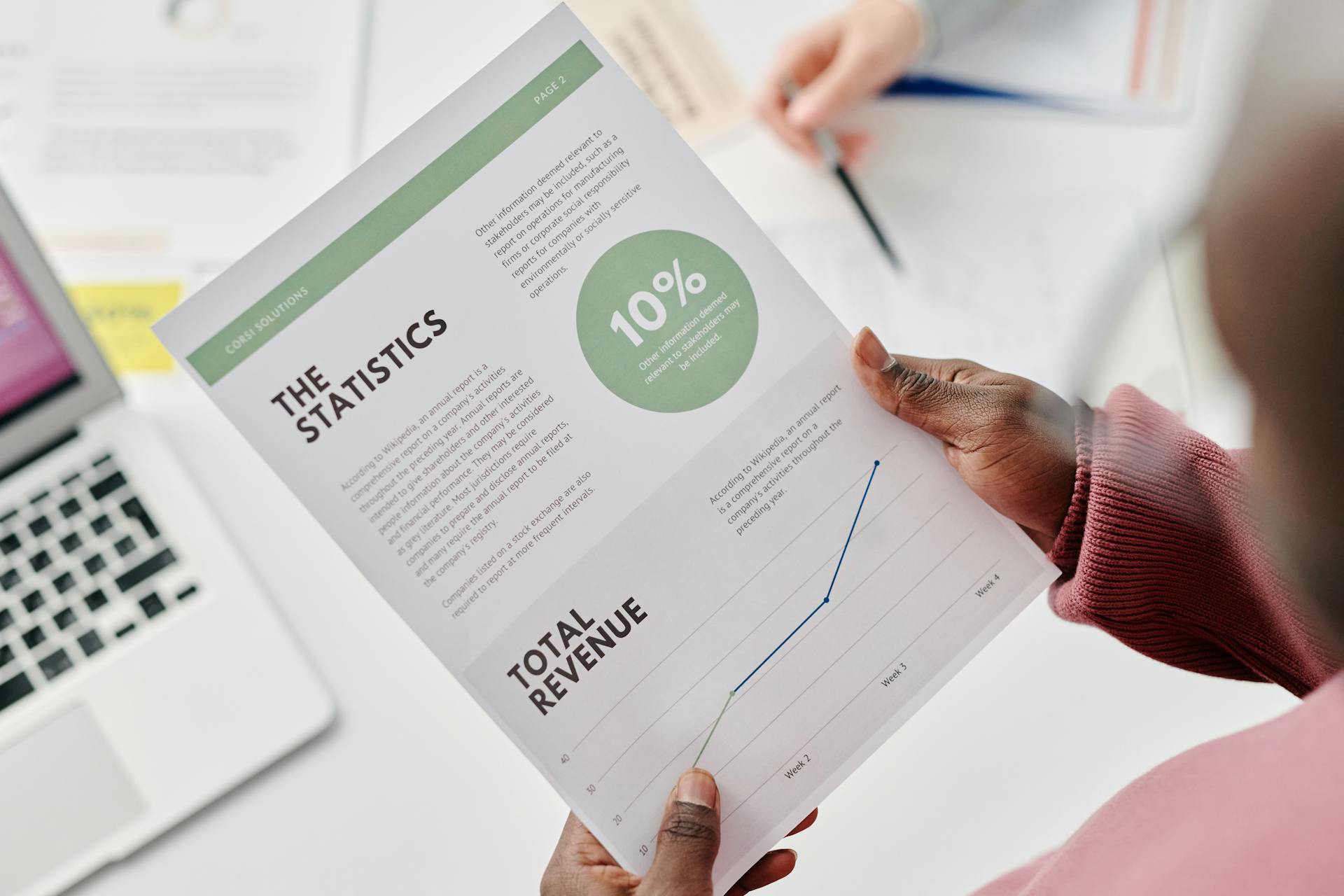
These issues quietly chip away at your bottom line. For example, a site converting at 1.5% instead of 3% is earning half the revenue from the same traffic. That gap adds up quickly, especially if you’re spending on ads, email, or influencer marketing.
When your site fails to convert, customer acquisition costs rise, ad ROI drops, and growth stalls. Improving your conversion rate helps make your entire marketing strategy more efficient.
What the Data Says: Common Conversion Rate Benchmarks
Average ecommerce conversion rates hover around 2.5%. Top-performing stores hit between 5–8%.
Industry-specific numbers vary:
- Fashion & Apparel: 3.6%
- Beauty & Wellness: 4.9%
- Food & Beverage: 6.22%
The best benchmark? Your own data from last month. Use tools like Google Analytics 4 or Shopify’s dashboard to track progress. The goal is consistent improvement, not chasing generic averages.
The Cost of Neglect: Cart Abandonment and Bounce Rate Realities
Cart abandonment sits at a brutal 72%, according to Baymard Institute. Bounce rates over 60%? That’s a red flag your site is turning people off before they even browse.
Every cart abandonment or bounced session represents wasted ad spend and a missed sale. Worse, it’s money lost after you’ve already paid for the click.
Fixing UX issues like slow load times, confusing checkout steps, or lack of trust signals can dramatically reduce abandonment. In one Baymard case study, simply streamlining the checkout flow led to a 35% increase in conversions.
1 Performance Pitfalls That Destroy Conversion Optimization
Your site’s performance is the foundation everything else sits on. Doesn’t matter how pretty your product pages are or how compelling your calls to action; if your site is slow or broken on mobile, you’re dead before the race starts.

Page Speed Problems
Sites that take longer than 3 seconds to load lose up to 40% of visitors. Anything over 10 seconds? You’re basically invisible. Page speed affects everything from bounce rate to SEO and ad performance.
Fix it: Compress images, reduce third-party scripts, use a CDN, and test with Google PageSpeed Insights. Or, if you’d rather not spend your weekend hacking CSS and crying into Lighthouse reports, use a performance tool built for ecommerce, like Hyperspeed.
Every Second = Fewer Sales
A 1-second delay can drop conversions by 7%. If you’re spending on traffic but not optimizing load time, you’re burning your budget.
Compare how fast your store is to a huge sample of other stores. Get benchmarked and find out where you can improve your speed to make more sales. How fast is your Shopify store?
Mobile Page Speed Is Often Worse
Your Site Isn’t Mobile-Responsive
If your site doesn’t adjust cleanly to phones, you’re turning away most of your audience. Text should be readable, buttons tap-friendly, and checkout friction-free. Google also ranks mobile-first, so poor responsiveness kills visibility too.
Thumb-Friendly Design = Higher Conversions
Design for one-handed use. Big buttons, minimal forms, simple nav. Every extra field or awkward layout on mobile increases drop-off.
Stop Designing for Desktops
Mobile users shop in motion: short attention spans, small screens. Product pages need to be fast, scannable, and easy to buy from. If 70% of your traffic is mobile but your conversions say otherwise, this is likely why.
Site Navigation & Search Issues
Confusing Navigation = Abandoned Sessions
Too many categories, vague labels, or cluttered menus derail your customer journey. Use clear, intuitive terms. Reduce friction. Fewer clicks = more sales.
Bad Site Search Kills High-Intent Visitors
30% of visitors use search, and they convert up to 3x more. But only if your search actually works. Use autocomplete, handle typos, and show relevant results. No search at all? That’s lost revenue.
Heatmaps Show You the Pain
Tools like Hotjar and Microsoft Clarity reveal what users actually do. Rage clicks, dead zones, unseen CTAs, they’re all signs of poor UX. Watch real sessions, fix what frustrates people. Assumptions lie; data doesn’t.
2 User Experience (UX) & Design Blunders
Design isn’t just aesthetics. It’s psychology, persuasion, and removing friction. Bad design decisions kill conversion rates faster than almost anything else because they create doubt, confusion, and distrust.

Want to go deeper into how design fatigue silently drains conversions? Read this breakdown on ecommerce design and conversion optimization by Hyperspeed. It covers how to spot design friction and fix it before your customers bounce.
Bad Design Choices
Outdated or Cluttered Design
Customers decide whether they trust your store in the first few seconds. Outdated design signals neglect; cluttered pages feel chaotic.
Clean layouts, consistent typography, and strategic white space build credibility. You don’t need trendy—just functional, polished, and modern.
Poor UX Confuses Users
UX should be invisible. If users have to think too hard about what to click, they’ll leave.
Buttons should look like buttons. Navigation should be obvious. Checkout flows should follow familiar patterns.
Test your site with real people. Wherever they hesitate, you’re losing sales.
Weak or Missing Calls to Action (CTAs)
Vague CTAs like “Learn More” or “Submit” don’t convert.
Use clear, benefit-driven phrases: “Add to Cart,” “Get My Discount,” “Start Free Trial.”
CTAs should stand out visually and be placed at every key step of the customer journey.
Lack of Personalization
Generic Experience = Lower Engagement
One-size-fits-all experiences ignore user intent. Show different content to new vs. returning visitors, cart abandoners vs. buyers.
Even small personal touches, like “Welcome back” or suggested products, can lift conversions significantly.
No Product Recommendations = Lost Revenue
Upsells and cross-sells boost average order value. For example: “Frequently bought together,” “You may also like.” These work.
Display recommendations on product pages, in cart, and post-purchase. Use real data, not guesses. No recommendations means leaving money on the table.
Need help making your product recommendations actually convert? Check out Hyperspeed’s guide on ecommerce personalization tactics for practical ways to tailor the shopping experience and boost AOV.
No UX Insights = Blind Spots Everywhere
If you’re not using session recordings or heatmaps, you’re guessing.
Tools like Microsoft Clarity or Hotjar show where users get stuck, click things that don’t work, or abandon carts in frustration.
Watch real sessions. You’ll find obvious problems you never knew existed.
Underwhelming Product Pages
Weak Product Descriptions and Images
Generic or thin descriptions don’t convert. Speak to your target customer, highlight benefits, and answer objections.
Images should be high-quality, zoomable, and show multiple angles. Include lifestyle shots when possible. Video = bonus points.
No Customer Reviews = No Trust
Reviews are powerful social proof. Without them, shoppers hesitate.
Encourage reviews post-purchase and display them prominently. Even mixed reviews are better than none; they make the page feel real.
No Urgency or Scarcity = No Action
Urgency (“Sale ends in 24h”) and scarcity (“Only 3 left”) push shoppers to act now.
Use timers, limited stock indicators, and social proof (e.g. “12 people viewing”) honestly and strategically.
Without urgency, there’s no reason to buy today.
Want to turn your product pages into true conversion engines? This guide to product page optimization from Hyperspeed walks through the exact elements that drive clicks, trust, and sales, especially for Shopify stores.
3 Checkout Chaos: Where Good Intentions Go to Die
You can do everything right: get traffic, engage visitors, convince them to add items to cart and still lose the sale at checkout. This is where most cart abandonment happens. This is where conversion rate optimization gets real.

Complicated Checkout Process
Too Many Steps = Abandonment
The more steps, the more chances to bail. Keep it simple: 1–3 pages max. Use progress bars to reduce uncertainty.
Remove unnecessary fields. Only collect what’s essential. Every field is friction.
No Guest Checkout
Forced account creation kills conversions. Let people buy first, then offer account signup.
Guest checkout reduces cart abandonment by up to 25%.
Limited Payment Options
If you only accept credit cards, you’re turning away buyers. Add PayPal, Apple Pay, Google Pay, Shop Pay, and BNPL options like Klarna or Affirm.
More options = more completed purchases, especially for high-ticket items and international customers.
Want to make your Shopify checkout faster, smoother, and more conversion-friendly? Hyperspeed’s checkout optimization guide breaks down key improvements that reduce friction and boost revenue.
No Trust Signals
No Security Badges
Customers hesitate if they can’t verify your site’s security. Add SSL (HTTPS), plus trust badges like Norton, McAfee, or BBB near the payment form.
No Social Proof at Checkout
Customer reviews, “Trusted by 10,000+,” or even logos of media mentions reduce last-minute doubt.
Even a small testimonial on the checkout sidebar can boost conversions by 5–10%.
Weak CTAs & No Exit-Intent Popups
Your final CTA should scream action: “Place Order Now,” not “Submit.”
Use exit-intent popups sparingly but strategically; offer a discount or free shipping reminder to save the sale. Even a cart summary can work.
Lack of Incentives
No Free Shipping Thresholds
Free shipping increases AOV. “Spend $50 for free shipping” encourages add-ons.
Display progress like: “Add $12 more to unlock free shipping.”
No Loyalty Program
Loyalty programs drive repeat purchases. Even basic points systems or VIP tiers can double retention.
Include sign-up prompts at checkout and in post-purchase flows.
No Upsells or Cross-Sells
If you’re not recommending related items at checkout, you’re missing easy revenue.
“Frequently bought together,” bundle offers, or “Add this for 20% off” can meaningfully lift AOV.
Post-purchase upsells via confirmation pages or emails also work; buyers are still in buying mode.
4 Content Mistakes That Sabotage Buyer Confidence
Content isn’t filler. It’s what convinces uncertain browsers to become confident buyers. Bad content creates doubt. Good content builds trust, answers questions, and moves people toward purchase.

Low-Quality or Irrelevant Content
Thin Product Descriptions (Especially on YMYL Pages)
YMYL products (health, finance, baby gear) need complete, accurate info. Thin descriptions make shoppers, and Google, nervous.
Use bullet points, specs, and FAQs. Answer every obvious question. For YMYL, cite sources or certifications.
Outdated or Manipulative Copy
ALL CAPS! Fake urgency!!! “Doctors hate this trick!” If your copy sounds like an email scam, people won’t buy.
Speak like a human. Focus on benefits, not hype. Update your tone regularly and A/B test to find what actually converts.
No Helpful Content to Educate Buyers
Buyers do research. If you’re not answering their questions, someone else will, likely a competitor.
Helpful content like buying guides, size charts, comparison tables, and how-to videos builds authority and removes purchase hesitation. It also reduces support burden by proactively addressing common concerns.
And it’s not just human customers doing the research anymore. Shoppers are increasingly discovering and buying products through AI interfaces like ChatGPT. That means your content doesn’t just need to convince people, it needs to educate AI.
Creating clear, structured, and detailed content helps power Answer Engine Optimization (AEO) and Generative Engine Optimization (GEO). In other words: when someone asks an AI assistant, “What’s the best beginner DSLR under $500?”, your product content better be what it finds, understands, and recommends.
Educational content isn’t just conversion fuel. It’s also the data AIs use to guide purchase decisions at scale.
Poor Visual Presentation
Bad Images Break Trust
Blurry or inconsistent product photos scream “unprofessional.” Use high-res, well-lit images. Show multiple angles, zoom views, and lifestyle context.
Don’t forget user-generated photos. Real people using real products build social proof.
No Zoom or Alternate Views
People want to inspect details. Add zoom, multiple angles, and variations for colors, fits, and features.
The more visually transparent your product, the more likely people buy it.
Inconsistent Product Page Design
When one product page looks polished and another looks like a draft, it signals laziness.
Use consistent templates, image styles, and copy tone. Customers do notice the difference, and they judge your brand for it.
5 Strategic and Analytical Blind Spots
You can’t optimize what you don’t understand. Strategic and analytical blind spots leave you guessing instead of knowing, hoping instead of improving.

Failure to Use Analytics Tools
No Trend Tracking or Session Recordings
Analytics show what’s working, and what’s quietly killing your conversions.
Use Google Analytics for trends (traffic sources, bounce rates, conversion flow) and Microsoft Clarity or Hotjar to watch real user behavior.
Session recordings reveal the truth behind drop-offs. You’ll spot UX issues in minutes.
No Heatmaps or A/B Testing
Heatmaps show where users click, scroll, and ignore. They surface hidden problems like key CTAs being below the fold.
A/B testing removes opinion from the equation. Test headlines, button copy, layouts, one variable at a time.
Use tools like Google Optimize, VWO, or Convert. And don’t guess: run tests long enough for valid results.
Ignoring Buyer Behavior
No Buyer Personas
Generic messaging = weak conversions. Define your ideal customers: demographics, motivations, objections.
Use actual data and surveys to refine personas. Tailor product recommendations, homepage content, and email flows accordingly.
No Ongoing Optimization
Conversion optimization isn’t one-and-done. Markets shift, customer behavior evolves.
Set monthly goals (e.g. reduce cart abandonment 10%, increase AOV 8%). Always have a live A/B test running.
No Customer Journey Mapping
Map the full buyer journey from discovery to post-purchase. Identify friction at each stage.
Different users take different paths. First-time buyers, return customers, mobile shoppers all behave differently.
Journey mapping reveals leaks, missed upsell moments, and where trust breaks down.
Pricing & Promotional Strategy Neglect
Weak Discount Strategies
Strategic discounts (tiered, bundles, thresholds) increase AOV. Random ones just kill margins.
“Spend $100, save 15%” works better than blanket discounts. Segment by behavior: first-time vs. returning vs. abandoning customers.
No Upsells or Cross-Sells on Product Pages
This is prime real estate. Show premium alternatives (upsells) or complementary items (cross-sells).
“Frequently bought together” and “You might also like” sections boost AOV and improve UX when based on real data.
Not Using Scarcity or Urgency
Flash sales, limited stock notices, countdown timers, these drive action.
Use them honestly and strategically. “Sale ends tonight” still works when paired with a real deadline.
Urgency moves people off the fence. No urgency? No sale.
6 Operational and Support Red Flags
Backend operations and customer support might seem disconnected from conversion rates, but they’re not. Poor support and weak post-purchase strategy kill repeat business and damage reputation, which eventually destroys acquisition too.

Lack of Post-Purchase Consideration
No Loyalty Program = No Retention Strategy
Repeat customers spend 67% more than new ones. Without a loyalty program, they have no reason to return.
Points-based systems are simple and effective. Gamified tiers and rewards create engagement and long-term value.
Promote it at checkout, in emails, and in packaging. Loyalty programs are margin multipliers.
Want to know what else drives retention (and often gets ignored)? Speed. Faster site performance directly impacts customer loyalty and why speed might be the retention lever you’re overlooking.
No Follow-Up Email Campaigns or Retargeting
The sale isn’t the end, instead, it’s the beginning of LTV.
- Post-purchase emails = product tips, review requests, reorder nudges
- Cart & browse abandonment = easy revenue recovery
- Retargeting ads = “Hey, come back and finish what you started”
Segment by behavior and automate everything. Set it once, profit forever.
Poor Customer Support
No Live Chat or Slow Response Times
Customers with pre-purchase questions need answers fast. Live chat increases conversions by as much as 4x.
If you’re relying on 24–48 hour email replies, you’re bleeding sales. Use chatbots for FAQs and humans for high-touch moments.
No Self-Service Help or FAQs
Many shoppers prefer to help themselves.
FAQs, knowledge bases, size charts, and how-to videos reduce support volume and boost buyer confidence.
Well-structured support content also boosts SEO by capturing long-tail search queries.
No Personal Touch in Customer Interactions
Automation is efficient, but it shouldn’t feel robotic.
- Use customer names in emails
- Add handwritten notes or samples in packages
- Respond with empathy, not scripts
Personalization doesn’t scale infinitely, but it sticks. That’s how you turn buyers into fans.
Red Flag Roundup and Your Action Plan
You’ve just made it through a deep dive into the most common, and costly, conversion killers in ecommerce. Some of them might’ve felt painfully familiar. That’s not a bad thing. Identifying these red flags is the first step toward fixing what’s quietly draining your revenue.

Improving conversion rates doesn’t mean overhauling everything overnight. It means starting with a focused audit of your site, identifying where customers drop off, and prioritizing fixes based on revenue impact. Sometimes the smallest changes, like clearer CTAs or faster page load, can deliver the biggest returns.
Analytics should guide every decision. Without solid data from tools like Google Analytics, Microsoft Clarity, or Hotjar, you’re flying blind. Monitor conversion trends, user behavior, and drop-off points consistently. A/B testing turns those insights into action, helping you validate what works instead of relying on gut instinct.
But optimization must be a long-term habit. The most successful ecommerce brands embed a conversion-first mindset across their entire team. From design tweaks to post-purchase follow-ups, every decision should aim to remove friction and build trust with the customer.
In the end, conversion optimization is about making it easier for the ones who already want to. The stores that win are the ones that make buying effortless. If your site isn’t doing that yet, now you know where to start.
Many of these red flags are within your control to fix; some can be done solo, and others are easier with expert tools. When it comes to site speed, there’s no reason to go it alone.
Hyperspeed helps Shopify stores load faster, convert better, and stay competitive; because slow stores don’t win.
Compare how fast your store is to a huge sample of other stores. Get benchmarked and find out where you can improve your speed to make more sales. How fast is your Shopify store?
FAQ
What are the most critical elements affecting ecommerce conversion rate?
The biggest factors include Page Speed, User Experience, Mobile Optimization, Trust Signals, and the Checkout Process. Addressing these directly improves conversion rate, reduces Bounce Rate, and increases Revenue Impact without raising ad spend.
How can I reduce cart abandonment on my ecommerce site?
To reduce Cart Abandonment, streamline your Checkout Process, enable Guest Checkout, and add Trust Signals like Security Badges. Use Exit-Intent Popups and display Free Shipping or AOV-based incentives to keep users engaged through to completion.
What role do product pages play in conversion optimization?
Product Pages directly influence conversion by showcasing Product Descriptions, Product Recommendations, Customer Reviews, and clear CTAs. Optimizing visuals, adding Social Proof, and building urgency scarcity help customers decide confidently and quickly.
How do I know what’s hurting my ecommerce conversion rate?
Use Analytics Tools, Heatmaps, and Session Recordings to identify issues in User Experience and the Customer Journey. Look for high Bounce Rates, weak CTAs, or broken flows. These tools offer data-driven insights to guide continuous A/B Testing.
Why is personalization important for ecommerce CRO?
Personalization improves conversion by tailoring Product Recommendations, CTAs, and messaging based on behavior. It supports Upselling Cross-selling and enhances the Customer Journey. Smart personalization reduces Bounce Rate and boosts long-term Revenue Impact.