
 Alexander Lam
Master ecommerce conversion optimization in 2026 with tools, testing, and speed strategies to reduce cart abandonment and boost checkout conversions.
Key Takeaways
→ Ecommerce conversion optimization starts with fundamentals, not tools—clear metrics, strong UX, fast load times, and a frictionless checkout process drive the biggest gains.
→ CRO tools only work when used intentionally. Analytics, heat maps, A/B testing, and personalization should support a structured testing cycle, not add complexity or slow your store.
→ Site speed underpins every conversion win. No amount of optimization can offset slow page load times, especially on mobile—performance must come before stacking CRO apps.
What is Ecommerce Conversion Optimization?
Ecommerce conversion optimization is the process of increasing the percentage of visitors who take meaningful actions, like making a purchase, adding to cart, joining your email list, or saving items to a wish list.
Instead of chasing more traffic, CRO helps you get more from the traffic you already have. It’s about identifying friction points, improving the user experience, and testing changes; whether that means better product pages, faster checkouts, or trust-building elements like reviews and badges.

Why CRO Matters in 2026
Several shifts have made CRO more impactful than ever.
- Acquisition costs are up.
- Retargeting is less effective due to privacy changes.
- Mobile traffic leads, but mobile conversion rates still trail behind.
- Meanwhile, expectations for speed, personalization, and support keep rising.
Shoppers won’t wait, so optimizing your ecommerce website is crucial. The tools to fix that are now widely available, and increasingly essential.
Conversion Rate Benchmarks
Most Shopify stores convert at 1.5% to 3%, though results vary based on product type, traffic source, and price point.
When to Use CRO Tools
- <100 visitors/month: Prioritize traffic
- 500+ visitors/month: Start identifying friction
- 5,000+ visitors or ad spend: Optimize aggressively
Foundational Metrics for CRO Success
To optimize effectively, you need to know what you’re measuring to increase conversion rates. E-commerce conversion rate optimization starts with data, not opinions.

Key Metrics to Track
- Conversion Rate: The percentage of visitors who complete a goal (usually a purchase). Formula:
(Conversions ÷ Visitors) × 100. - Bounce Rate: Visitors who leave after one page. High bounce rate = poor engagement.
- Cart Abandonment Rate: The % of shoppers who add items but don’t complete checkout. Often ~70%, which means plenty of room for recovery.
- Add-to-Cart Rate: Shows how persuasive your product pages are.
- Checkout Completion Rate: Reveals friction in the final step of your conversion funnel. Shipping costs, slow load times, or required account creation can all hurt this.
- Average Order Value (AOV): Revenue per order. Higher AOV boosts revenue without more traffic.
- Engagement Metrics: Time on site and pages per session provide context—but long sessions aren’t always good. Sometimes it means people are lost.
Segmentation Matters
Overall metrics are useful, but segmented data tells you where to act. Compare desktop vs. mobile, new vs. returning visitors, or paid vs. organic traffic. Patterns here often expose your biggest conversion gaps.
Use Both Quantitative and Qualitative Data
- Quantitative: Tools like Google Analytics show drop-off points and funnel leaks.
- Qualitative: Heat maps, session recordings, and surveys explain why those leaks happen.
Combine both to identify, validate, and fix issues. Then track changes over time, not just once.
How to Choose the Right CRO Tool Stack
With hundreds of options on the market, choosing the right ecommerce CRO tools can quickly become overwhelming. The key is to avoid shopping for features and start by identifying your specific conversion challenges.

If you’re unsure where users are dropping off, begin with analytics.
If you know where but not why, add heat maps and session recordings to get behavioral context. When you’re ready to experiment with solutions, A/B testing platforms help validate your changes.
If visitors are leaving without buying, tools like exit-intent popups or abandoned cart emails can help recover lost revenue.
Start with a lean stack.
Free tools like Google Analytics 4 and Microsoft Clarity offer more than enough functionality for most stores. Prioritize tools that integrate cleanly with your platform, especially if you’re using Shopify, where many CRO tools have direct app support for conversion rate optimization strategies.
If integration requires custom coding or conflicts with other scripts, you’re trading simplicity for headaches.
It’s also important to understand that CRO is not a single event, but an ongoing cycle.
First, collect data to uncover friction points. Then generate hypotheses for what might improve performance. Use structured testing to validate your ideas, and apply the insights to guide future decisions. This loop — research, hypothesize, test, learn, implement — repeats continuously.
When it comes to execution, you have options.
Solo ecommerce store owners can manage a basic CRO setup themselves with free or affordable tools. All-in-one platforms like VWO offer bundled solutions for growing teams. Larger operations may benefit from hiring specialized agencies, though that usually comes with high costs and a loss of direct control.
Whatever your size, build a stack that solves your problems—not someone else’s checklist.
You can stack every CRO tool in the toolbox—but if your site slows down, conversions tank.
Speed isn’t optional. It’s the foundation every app should build on, but most don’t. That’s why we built Hyperspeed — a Shopify speed optimization app that actually delivers. Run faster, convert better, stack smarter.
Web Analytics Tools for Conversion Insight
Understanding what visitors do on your site is the foundation of CRO. Web analytics tools give you that visibility, showing where traffic comes from, how users behave, and where conversions fall apart.
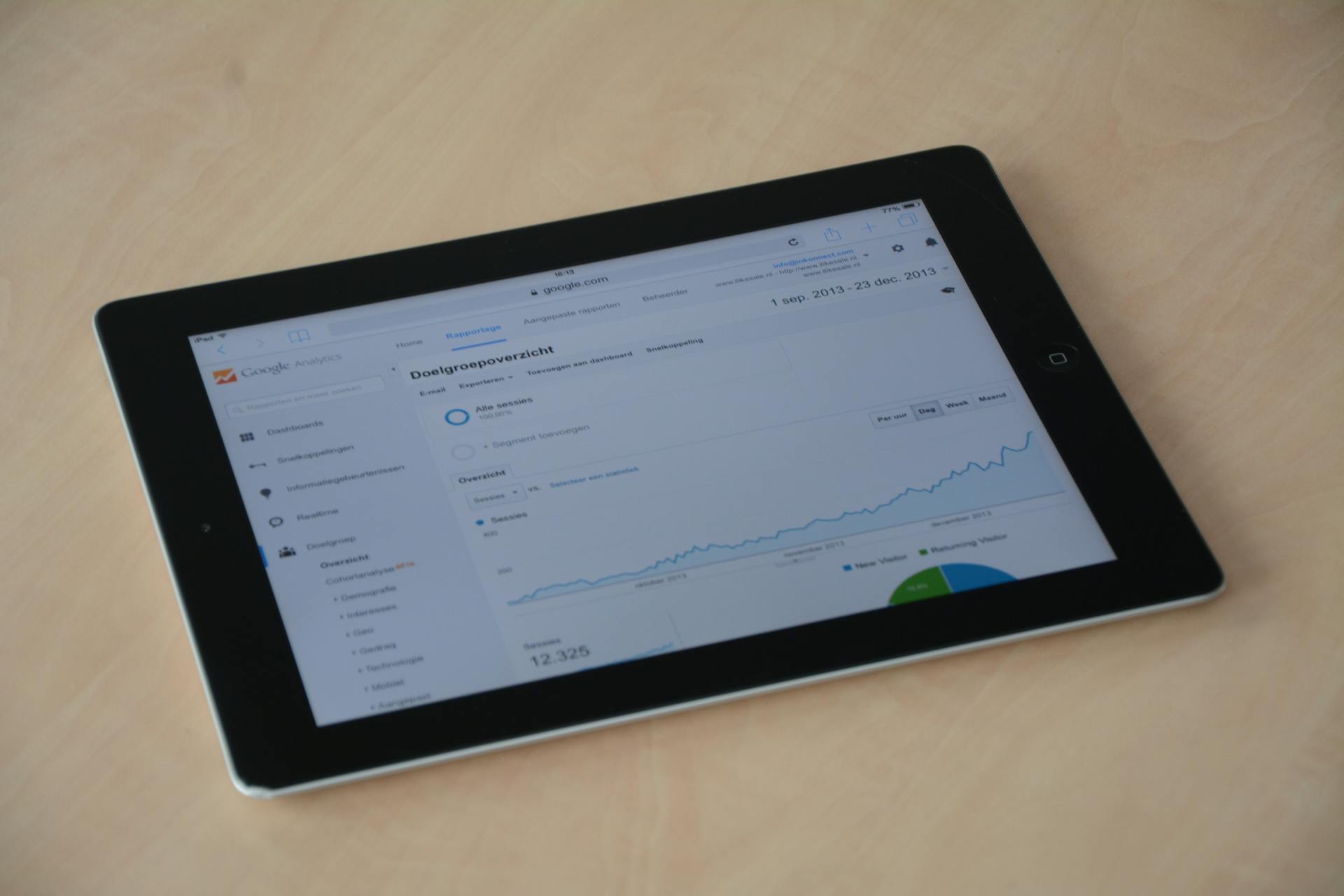
Google Analytics 4 (GA4) should be your starting point. It’s free, robust, and widely supported. GA4 tracks key actions like purchases, add-to-carts, and pageviews, and lets you build funnels to see where users drop off. With enhanced ecommerce tracking and integrations with Google Ads and Search Console, it offers a full-picture view of acquisition and conversion.
For deeper behavioral insights, Mixpanel adds more precision. It’s event-based, meaning you can track and analyze specific user actions with detail GA4 might overlook. Features like cohort analysis and retention tracking help you see not just what users did, but how behaviors evolve over time.
If you’re running a high-volume, enterprise-level operation with a dedicated analytics team, tools like Adobe Analytics or Contentsquare offer extreme customization and advanced journey mapping. But for most Shopify stores, they’re overkill.
Tools like Heap and Smartlook offer a different approach — automatic tracking of every interaction without manual setup. They’re especially useful when you want flexibility for exploring user behavior without pre-defining events.
Ultimately, your analytics tool should answer one question: where are users getting stuck?
Choose based on the insights you need. Not the flashiest dashboard.
User Behavior & Feedback Tools
Analytics show what users do but not why they do it. That’s where behavior and feedback tools come in. They provide the context behind the clicks, helping you identify friction points that raw numbers can’t explain.

Heat maps and session recordings are foundational tools for understanding on-site behavior.
- Heat maps highlight which parts of a page attract attention, while cold zones reveal areas that users ignore.
- Session recordings offer a deeper view, letting you watch individual user journeys—where they hesitate, rage-click, or give up entirely.
- Tools like Microsoft Clarity and Hotjar make it easy to implement these features without much setup.
Surveys add direct insight into visitor thinking. Exit-intent surveys can catch abandoning users and ask why they didn’t convert, where responses often reveal missing trust signals, unclear pricing, or surprise shipping costs. Net Promoter Score (NPS) surveys, typically post-purchase, help track customer satisfaction and loyalty over time.
Behaviorally triggered surveys increase relevance by showing the right questions at the right moments. Meanwhile, platforms like UserVoice and GetFeedback gather feedback from customers after they’ve converted.
Live chat support plays a dual role: it helps customers and generates valuable insight. The questions customers ask, especially repeated ones, often point to missing or confusing information on your site. Many tools also allow proactive messages based on cart activity or time on page, making them useful for recovering hesitant buyers.
When used together, these tools form the qualitative half of your optimization stack. They help you move from guesswork to precision—and from vague hunches to meaningful results.
Lead Capture & On-Site Engagement Tools
Most visitors won’t convert on their first visit. Lead capture tools help you stay in the game by collecting contact information for future follow-up. Done well, they turn bounced traffic into returning customers.

- Exit‑intent popups trigger when a visitor is about to leave, making them less disruptive than immediate overlays—if they offer real value. Discounts, shipping reminders, or exclusive offers work; generic “Don’t go!” messages don’t. Targeting by page type, time on site, or cart value improves relevance.
- Email capture tools like popups, sticky bars, and slide‑ins should be timed carefully. Asking too early feels pushy; waiting until a visitor shows intent works better. Match the offer to context—discounts, early access, or useful content.
- Header bars provide a low‑friction alternative. They’re ideal for free‑shipping thresholds, launches, or email signups, staying visible without interrupting the experience.
- Scarcity and social proof reinforce engagement. Urgency works only when it’s real—fake scarcity damages trust. Reviews, trust badges, and purchase notifications build credibility by showing others are buying safely.
The best approach? Test everything. Monitor not just popup conversion rates, but the broader impact on bounce rate, time on site, and completed purchases. Lead capture should enhance and not interrupt the customer experience.
Personalization & Product Recommendation Tools
Visitors expect your store to adapt – showing the right products, messaging, and layout based on who they are and what they’ve done. Personalization tools make this scalable.

Product recommendations are the most visible (and profitable) form of personalization. They use browsing behavior, purchase history, and crowd data to suggest relevant items, raising average order value and improving discovery.
“You might also like” on product pages, “frequently bought together” near add-to-cart, and personalized homepages are all common and effective placements.
Start with simple logic: show related products, or what others bought after viewing the same item. More advanced platforms use real-time behavior to adapt recommendations on the fly. Tools like LimeSpot or Nosto (for Shopify) integrate this functionality throughout the shopping journey, from homepage to cart.
Beyond products, dynamic content personalization adjusts your site’s messaging based on user segments.
- New visitors might see a welcome offer; returning customers might see a loyalty promotion.
- Device type, traffic source, or cart value can all drive what content gets shown.
AI-powered cart recovery tools take personalization a step further.
These tools detect abandonment signals and trigger interventions—on-site prompts, reminders, or discounts—before the user leaves. Wisepops and Kibo use machine learning to determine which visitors are at risk and what message is most likely to recover the sale.
Pair these with abandoned cart emails for a one-two punch that captures more lost revenue.
Behavior-based triggers using wish lists and cart data offer another personalization layer. If a visitor saves an item and it goes on sale, notify them. If someone leaves a product in their cart, follow up with a message that mentions it by name.
These small touches show attention to detail and improve re-engagement.
The key is starting small: new vs. returning visitors, desktop vs. mobile, cart value tiers. Segment first, personalize second. Even basic personalization can dramatically improve engagement—without making your site feel robotic or invasive.
You can’t optimize what you don’t understand.
All those plugins, popups, and pixel scripts? They’re probably dragging your store down. Before you install your next app, read our guide: Why eCommerce Site Speed Still Matters in 2026. If you’re not loading fast, you’re already losing.
A/B Testing & Experimentation Tools
Optimization without testing is just guessing (sometimes expensive guessing). A/B testing lets you challenge assumptions and validate changes using real user behavior, not hunches or opinions.

A/B testing platforms like VWO, Convert, Optimizely, and AB Tasty all let you serve different page variations to different users, then measure which one performs better.
Most tools now offer visual editors, so you can change headlines, buttons, layouts, or pricing without writing code. Shopify integrations are common, making setup relatively painless.
These tools differ in depth and pricing. Convert and VWO offer strong mid-market solutions, while Optimizely skews enterprise with deep targeting and advanced analytics.
Choose based on your traffic volume, goals, and internal resources; just don’t let a tool’s feature list distract from its purpose: helping you run valid tests.
And that means planning properly.
Before you launch any experiment, calculate your needed sample size, estimate test duration, and set your confidence level (usually 95%). Most testing platforms include these calculators. Use them. Declaring winners after three days based on a 0.3% lift is a classic rookie mistake.
Not sure where to test? Focus on:
- Product pages (images, copy, layout)
- Pricing strategies ($29 vs $39 vs bundles)
- Call-to-action buttons (text, color, placement)
- Checkout flow elements (form fields, trust badges, guest checkout)
Start with pages that already get traffic to optimize your conversion funnel effectively. Testing on low-traffic pages burns time and rarely produces meaningful results.
For first impressions, consider five-second tests – quick usability experiments that reveal whether visitors immediately understand your offer. Tools like UsabilityHub make this easy. You’ll often be surprised by what people don’t see.
As your testing program matures, prioritization becomes key. You’ll always have more ideas than bandwidth. Frameworks like ICE (Impact, Confidence, Ease) help score and rank test ideas. Create a backlog, update it regularly, and test based on ROI potential, not gut instinct.
Platforms like VWO Plan or TestLodge can help manage your experimentation roadmap. But even a shared spreadsheet can work if your process is disciplined.
Ultimately, testing is about structured learning. Every failed test is still a win if it tells you something useful. CRO isn’t a one-time campaign; it’s a continuous cycle of observation, hypothesis, validation, and improvement.
Landing Page & Checkout Optimization Tools
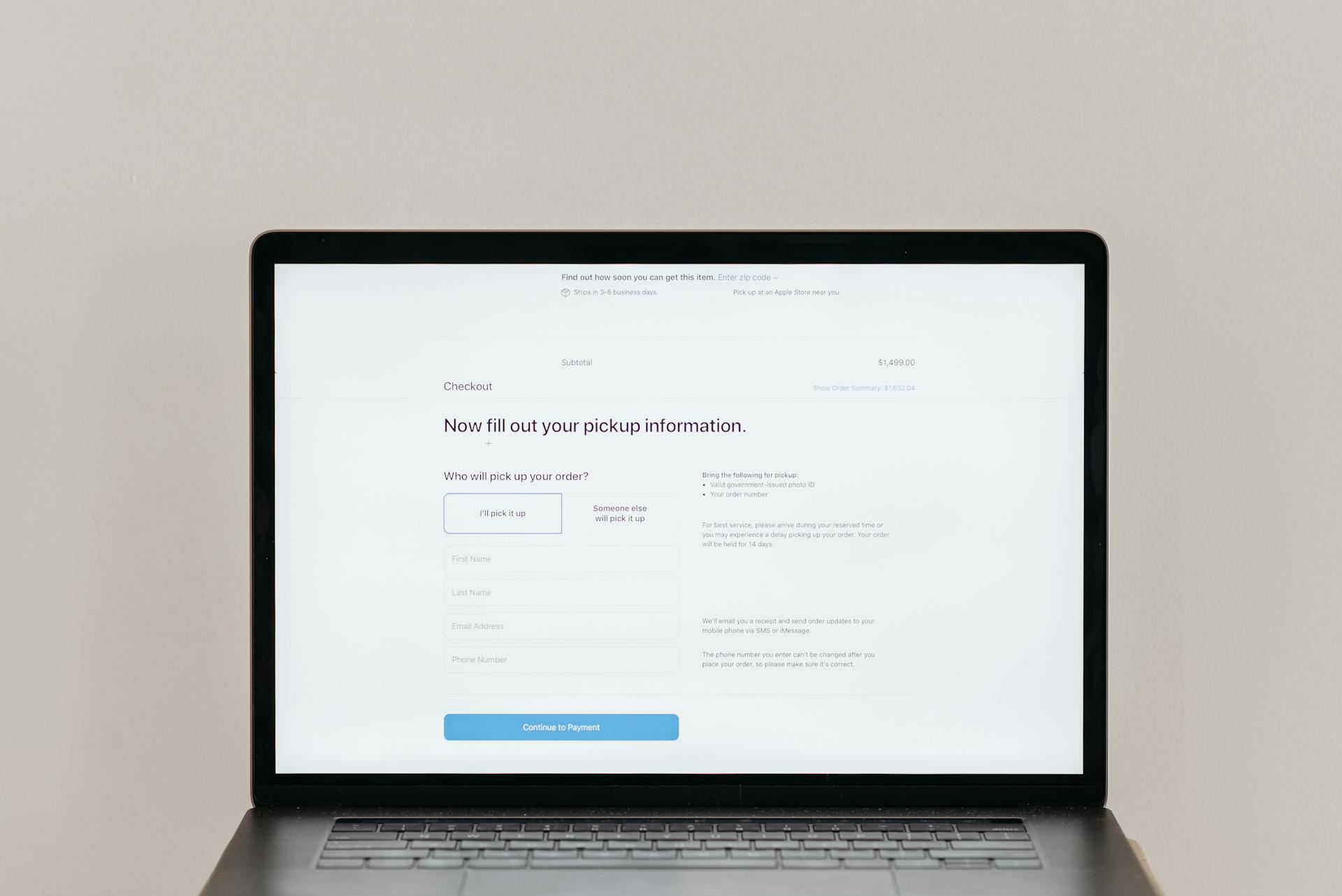
Landing pages capture attention. Checkout pages capture revenue. Both deserve precise, ongoing optimization, and both directly impact your store’s conversion rate.
Campaign-Specific Landing Pages
If you’re running paid campaigns, your homepage shouldn’t be the destination. Instead, use dedicated landing pages that match ad messaging and intent. Alignment between ad and page improves trust and conversions.
Tools like Leadpages, Unbounce, and Instapage let you spin up high-converting landing pages quickly without waiting on developers. Look for platforms that offer A/B testing, mobile optimization, and Shopify integrations. These pages can exist outside your main theme and serve as focused funnels for traffic with clear intent, enhancing your conversion funnel.
- Don’t overcomplicate the layout.
- Lead with value.
- Eliminate distractions.
- Prioritize a strong headline, trust signals, and a single call to action.
Product Pages That Convert
Your product page is where intent meets decision. Optimize it relentlessly.
- Images: Use multiple high-quality images—show the product from every angle, in real-world use, and at scale. Include zoom and 360° views if possible.
- Descriptions: Be clear, detailed, and benefit-driven. Anticipate questions and objections. Address materials, fit, sizing, or use cases.
- Customer reviews are one of the most potent trust-builders you have. Include star ratings, written feedback, and user-submitted images. Don’t bury them in tabs.
- Trust badges near CTAs can nudge hesitant buyers—SSL security, payment methods, money-back guarantees. Subtle but powerful.
You can also test placement:
- Do reviews above the fold increase add-to-cart rate?
- Does moving the CTA earlier boost mobile conversions?
Small shifts often yield big results.
Streamlining Checkout to Reduce Abandonment
A complex checkout kills conversions. Simplify everything.
- Use a single-page checkout where possible. Fewer clicks = fewer drop-offs.
- Guest checkout is non-negotiable. Don’t gate purchases behind account creation.
- Minimize required fields. Do you really need a phone number or company name? Only ask for what’s essential to improve conversion in your ecommerce business.
- Make shipping costs visible early; ideally on the product page. Surprises at checkout are the #1 cause of cart abandonment.
- Offer multiple payment options: credit card, PayPal, Shop Pay, Apple Pay, etc. More options = fewer blockers.
- Optimize page load speed, especially on the payment step. Delay here = doubt.
Recovering Abandoned Carts
Even with the best checkout flow, some visitors will leave. That’s why abandoned cart emails are crucial.
Start with a reminder within an hour of abandonment – when intent is still high. Include product images and a direct link to resume checkout. Follow up at 24 and 72 hours. Add urgency or social proof. Consider a small discount in the final message.
Test subject lines, timing, and incentives. Done right, your email funnel is an optimization in action.
CRO tools help you grow; unless they secretly slow you down.
Want to know if your Shopify store’s speed is holding you back? Use this free optimization checklist to find out. It’s a quick diagnostic that could save you thousands in lost conversions.
Content & Site Management Tools
Your content stack affects more than just workflows, it shapes what’s possible in personalization, speed of experimentation, and user experience. Choosing the right tools doesn’t just make you more efficient. It makes your store more effective.

Headless CMS for Customization at Scale
For stores pushing beyond Shopify’s built-in content system, a headless CMS offers flexibility and control. It decouples content from design, allowing you to manage content centrally and deliver it across multiple storefronts, channels, or devices.
This setup enables:
- Dynamic, personalized content experiences
- Multi-language or region-specific versions
- Non-technical teams to manage content without breaking design
Platforms like Contentful and Sanity offer deep integration potential, while Storyblok blends headless power with a visual editor—great for teams who want flexibility and usability. Strapi is the go-to open-source option for teams with development muscle.
That said, most Shopify stores don’t need headless architecture. But if you’re building personalized storefronts, apps, or omnichannel content experiences, headless unlocks capabilities traditional CMSs can’t match.
Page Builders: Agility Without Developers
Page builders let you build and test new layouts quickly, without bottlenecks.
Tools like Shogun or Builder.io give marketers control to launch landing pages, modify product layouts, or run homepage experiments without waiting for dev resources. Want to test a new layout or messaging variant? Build it today, test it tomorrow.
Webflow is a powerful option for visual-first sites, though it requires more learning and isn’t Shopify-native. Some teams use Webflow for content and Shopify for checkout, connected through custom integrations.
These tools aren’t just about convenience. They increase your experimentation velocity.
Faster tests = faster learnings = faster growth.
UX Optimization Through Smarter Structure
Content tools matter, but structure and clarity win conversions.
Your website navigation is one of the most important (and overlooked) conversion levers. If visitors can’t find what they’re looking for, they leave, no matter how good your products are.
- Keep menus minimal and intuitive. Use plain language, avoid clever names.
- Make search prominent and effective. A visible, typo-tolerant search bar increases conversions especially for mobile users.
- Test your structure. Use heat maps and session recordings to see how people interact with menus and filters. You may think your categories are clear, but your users may not.
On product pages, every word and image matters. Visitors aren’t reading, they’re scanning.
- Use bullet points for features and short paragraphs for benefits.
- Address objections proactively: materials, size, fit, compatibility, etc.
- Start strong. Put the most important info at the top. Most visitors won’t scroll.
Performance Optimization Tools
Site speed isn’t a technical nicety; it’s a conversion lever. A slow site signals unreliability. A fast site removes friction, reduces bounce rate, and directly improves your bottom line. Especially on mobile, performance is the difference between a shopper and a lost opportunity.
Why Speed is a CRO Priority
Research shows that each additional second of load time can drop conversions by up to 7%. On mobile, the margin is even thinner. In 2026, with rising customer expectations and mobile dominance, performance is a baseline requirement.
Start by setting a performance budget; a target page load time, and use this to guide every optimization decision. If that number starts creeping up, you’re not just losing speed, you’re losing sales.
Measuring and Diagnosing Performance
Your first step is understanding where speed breaks down.
- Google PageSpeed Insights gives a free, detailed performance snapshot for any page on your site. It breaks down metrics like time to first byte, image optimization, and Core Web Vitals.
- GTmetrix goes deeper with waterfall charts and historical monitoring. It helps you isolate which scripts, apps, or images are causing delays.
Don’t just optimize once. Build speed audits into your workflow, especially after launching new pages, apps, or integrations.
Automating Speed Gains with Optimization Tools
Some platforms simplify performance for non-technical teams:
- NitroPack automates common fixes—caching, compression, image resizing, minification, and lazy loading—without custom development.
- Cloudflare CDN reduces latency by serving your content from data centers closest to the visitor. It also offers basic security and bot filtering, which can improve both speed and stability.
- Lazy loading, often built into Shopify themes or handled by tools like LazySizes, keeps your above-the-fold content fast while delaying heavier elements until they’re needed.
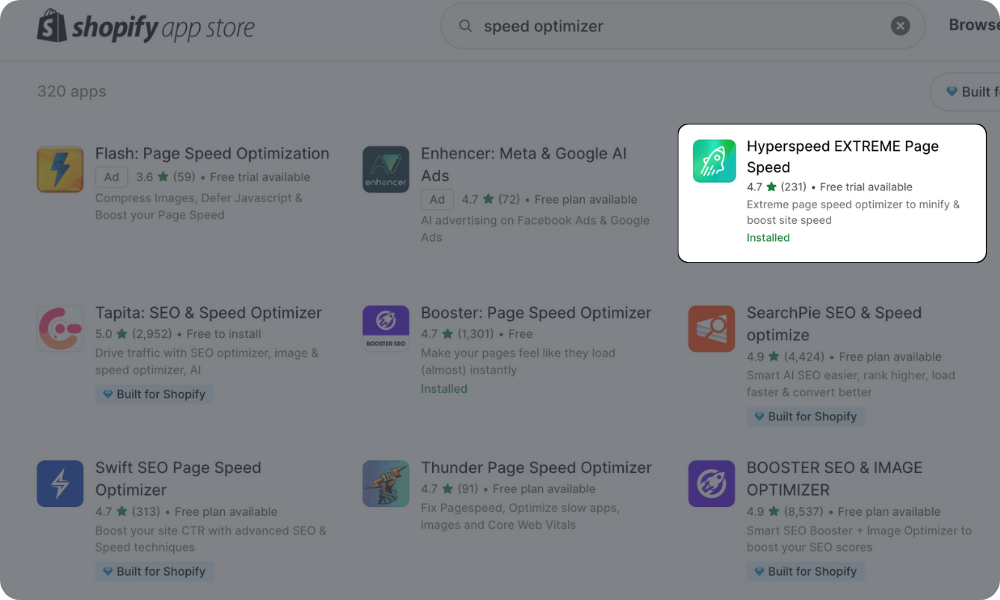
Or let Hyperspeed do the optimization for you – purpose-built for Shopify and designed to speed up your store without the technical headache.
Use tools but don’t rely solely on them. Speed is a design decision, not just a plugin feature. Simplify your layout. Avoid bloated third-party scripts. Audit your Shopify apps—many stores run 10+ apps they no longer need, each adding load time.
Want a faster store that doesn’t sabotage your CRO work?
Speed isn’t just a technical checkbox—it’s a conversion multiplier. Use our Ecommerce Site Speed: The Ultimate Speed Optimization Guide and learn how to spot slowdowns, clean up bloat, and build a lightning-fast Shopify experience. Because if your store can’t load, it can’t convert.
Future-Proofing Your CRO Stack
Optimization doesn’t end. It evolves. The best CRO strategies aren’t locked into tools—they’re built on principles that adapt. In 2026 and beyond, the landscape will change, so your foundations shouldn’t crack every time it does.

Where CRO Is Heading: Signals From 2026
Artificial Intelligence doesn’t just suggest anymore, it decides. AI-driven personalization now handles product recommendations, predictive targeting, even automated experimentation.
The upside? Speed and scale.
The challenge? Letting go of gut instinct and learning to trust the machine, at least up to a certain point.
Augmented reality finally found its utility. What used to be gimmicky “3D spins” have become functional tools like virtual try-ons for apparel, spatial previews for furniture, even live skin-tone matching for cosmetics. The stores winning with AR aren’t flashy, they’re practical. They remove doubt. And that removes friction.
Meanwhile, shoppers no longer “go online.” They’re always online.
The gap between devices, platforms, and channels is gone. Visitors expect their carts to follow them from mobile to desktop, from social feed to search to SMS. CRO now includes maintaining continuity in experience, not just optimizing individual touchpoints.
Voice commerce still isn’t huge, but it’s creeping. It’s not about optimizing for “Alexa, buy toothpaste.” It’s about preparing your product data to make sense in a spoken-world search.
Structured, clear, descriptive metadata is your insurance policy.
Ethical Optimization Is Not a Trend
Forget “dark patterns.” The CRO tactics that disrespect visitors — fake scarcity, manipulative urgency, opt-out trickery — they’re a dying breed. And good riddance.
Sustainable CRO is ethical CRO. That means:
- Designing fast, efficient sites that reduce environmental impact
- Respecting data privacy by not squeezing every drop of tracking out of users
- Creating accessible, inclusive experiences that serve everyone
Trust scales. Trickery doesn’t.
Final Note: Don’t Chase Trends — Design Systems
Future-proofing isn’t about chasing shiny objects. It’s about building systems that grow with you.
CRO isn’t just about optimizing the store you have; it’s about preparing for the store your customers will need next year, and the year after that.
And if your stack can’t evolve? Then it’s not optimization.
Compare how fast your store is to a huge sample of other stores. Get benchmarked and find out where you can improve your speed to make more sales. How fast is your Shopify store?
FAQ
What are the most effective tools to increase an ecommerce store’s conversion rate in 2026?
The most effective tools combine A/B testing, heat maps, personalized recommendations, and live chat support. These improve user experience by refining product pages, reducing cart abandonment, and boosting customer trust through real-time insights.
How can I reduce cart abandonment using CRO tools?
To reduce cart abandonment, use abandoned cart emails, exit-intent popups, and optimize the checkout process with guest checkout, trust badges, and free shipping. A streamlined single-page checkout also reduces friction in the shopping cart stage.
Which CRO strategies improve mobile optimization and page load time?
For better mobile optimization and faster page load time, minimize app bloat, use compressed product images, and implement lazy loading. Tools like Hyperspeed help optimize speed while preserving user experience and preventing high bounce rate on mobile.
How does social proof influence conversion optimization?
Social proof—like customer reviews, user-generated content, and real-time purchase notifications—boosts conversion rate by increasing customer trust. Display trust badges and highlight average conversion rate increases from wish list or shopping cart activity.
What role do product recommendations play in ecommerce conversion optimization?
Product recommendations and personalized recommendations drive higher conversion rate and average order value. Show related items on product pages, use call to action elements effectively, and guide buyers with strong website navigation and visual product images.


